
What the pose editor does
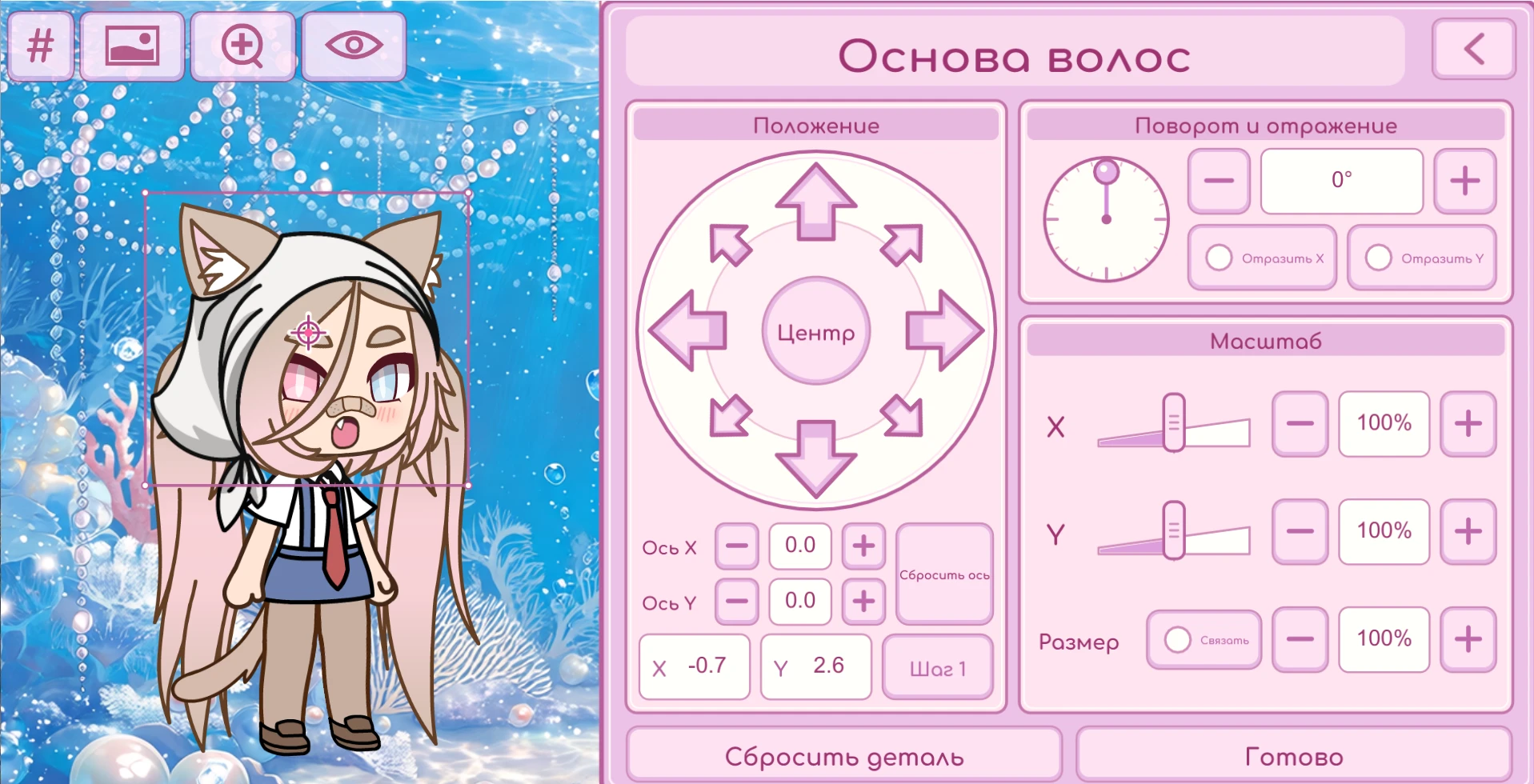
ChibiChu replaces Gacha Life's fixed pose picker with a part-by-part system. Instead of choosing from a list of preset poses, you set the position, rotation, and size of each body segment independently.
According to fan descriptions: you work limb by limb — head, neck, torso, arms, hands, legs, feet. Each part has position (X/Y), rotation (angle), and optionally size controls. You can save a custom pose and reload it on any character.
Controls overview
Based on project screenshots (chibimods.com) and fan walkthroughs:
| Part | Controls available | Sources |
|---|---|---|
| Iris / eyes | Left eye, both eyes, right eye toggle; position, rotation, size | 1 (chibichu.app screenshot) |
| Hair / accessories | Move, scale, boundary box; X/Y, angle, size | 2 (chibichu.wiki, chibimods.com) |
| Body parts generally | X/Y position, rotation angle, scale | 2 (chibichu.app, chibimods.com) |
| Saved poses | Save a configured pose and reload it on other characters | 2 (chibichu.ru, chibichuhub) |
Usage tips
- Work part by part. Start with the torso/body orientation before adjusting limbs so proportions stay consistent.
- Save your pose before exporting. The save option stores the pose configuration separately from the character.
- The exact panel layout may differ between Android and Windows builds and between build versions. Match the label, not the button position.
- No documentation of keyboard shortcuts or touchscreen gestures has been published by the project.
Frequently Asked Questions
Does ChibiChu have more poses than Gacha Life?
Yes. Gacha Life has a fixed list of preset poses. ChibiChu adds a part-by-part pose editor where you adjust each limb and save custom configurations.
Can I share a pose with someone else?
Poses are saved locally. The character code export carries appearance data; whether it includes pose data is undocumented. Use a PNG or PSD export to share the visual result.
Is there a pose library or community pose sharing?
No pose library is documented. Community members share poses on Discord and TikTok, but there is no built-in sharing system.